Getting Started Guide for Tag XL Tracker
Step-by-step instructions for setting up the Truvami Tag XL device.
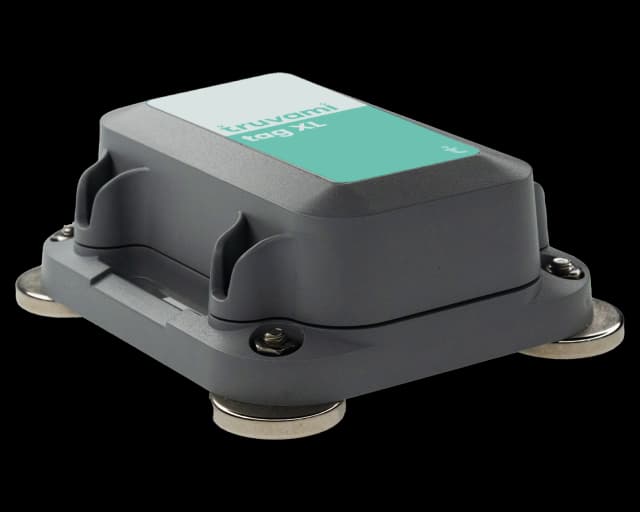
Versions: 1.0.0
Date: 2024-04-15
Activate your device
Activation should be done at location of deployment for accurate geolocation measurements:
a) Pull the battery tab
b) Tighten the screws using a screwdriver ensuring the housing is watertight
c) Wait until the following three melodies have been played:
• first melody: sounds after reset
• second melody: join attempt to network was successful
• third melody: time synchronization was successful, your tracker now appears in the Truvami dashboard
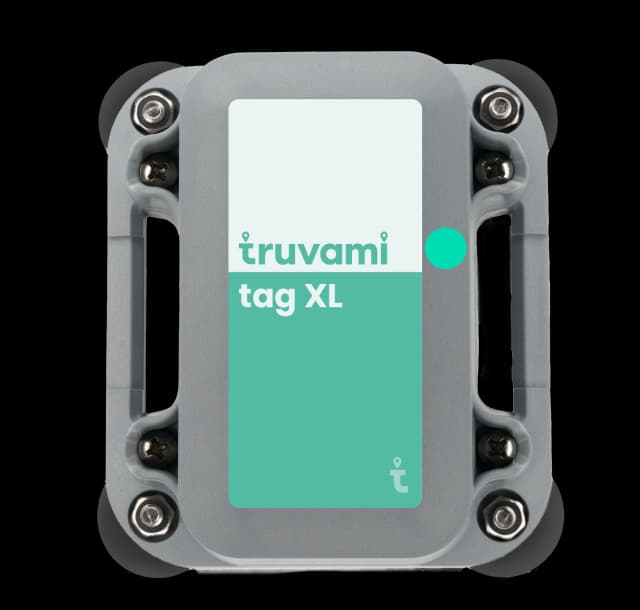
In case join attempt was unsuccessful, reset the device using a magnet and hold it (to the position of the green point in the picture below) for 10 seconds.
Troubleshooting
If the device fails to join, consider the following list of workarounds:
1. Reset the device using the magnet:
Hold the magnet against the front side of the housing for at least 10 seconds. The device should restart, accompanied by the Truvami startup melody. If the melody plays but the device remains unjoined, repeat the claim process outlined in the getting started guide. If the startup melody does not play, proceed to 2.
2. Replace the batteries.
The Truvami startup melody should commence after a few seconds. If the startup melody does not play, proceed to open a support ticket.
Need Support?
For support, please submit a ticket. We will respond as quickly as possible.